Welcome, Guest. Please login or register.

Login with username, password and session length
 

Author Topic: Graphics Tablet & First attemps!!  (Read 629 times)

Bhuna

  • Member
  • Prog Stacking Droid
  • ***
  • Posts: 674
    • View Profile
    • Bhuna's Blog
Graphics Tablet & First attemps!!
« on: 23 November, 2008, 02:50:14 PM »
Years ago, I was forever sketching to relax etc. But for some reason I retired my pencil!

However, i thought I'd bring it out of retirement and start again. I managed to get a copy of Manga Studio and picked up a Wacom Bamboo Fun off ebay for £40.

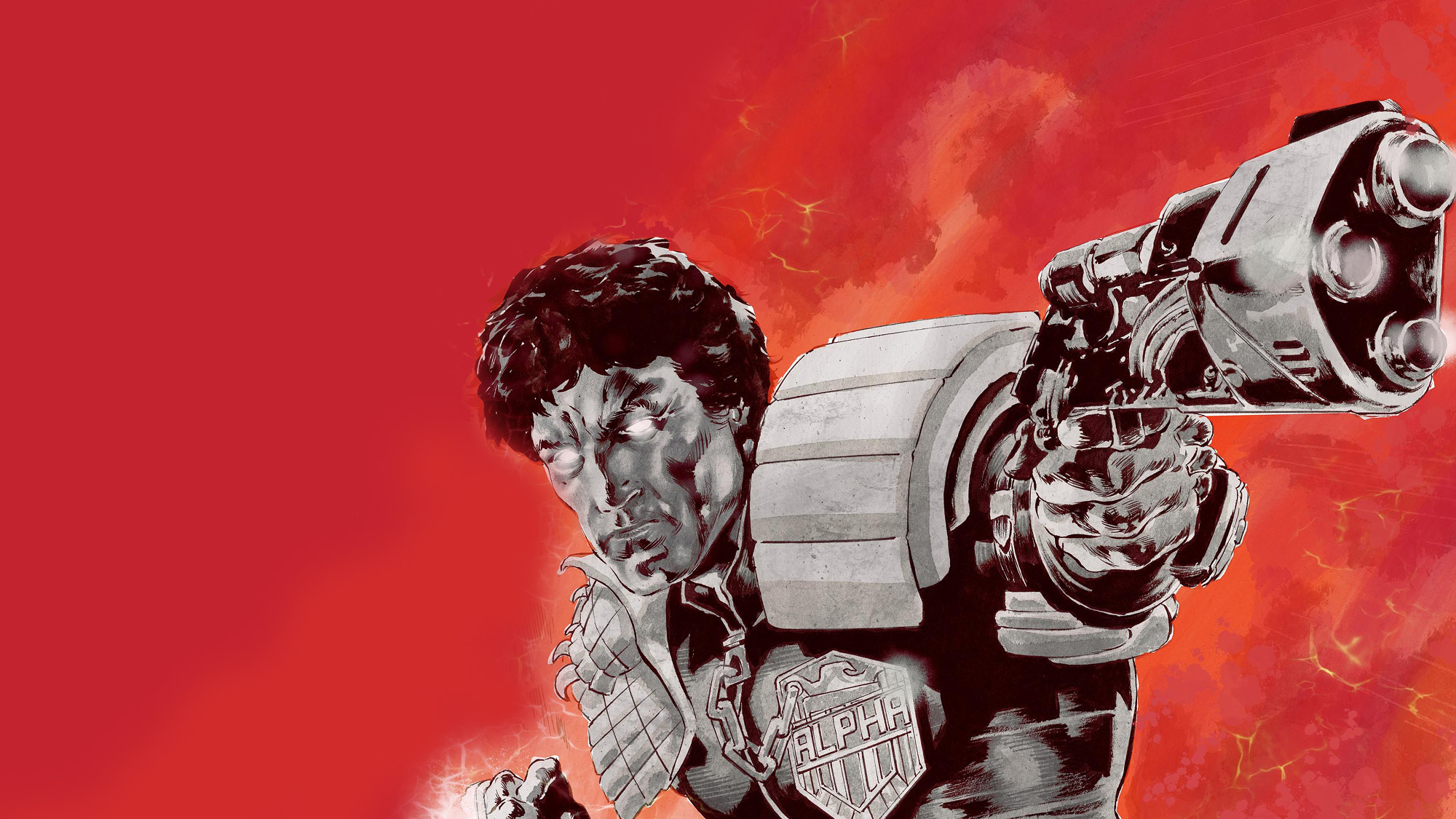
So here are my first. (and very poor) efforts for you to look at!  Are there any tips (besides retiring the pencil again!!) on using layers etc??

Dredd


Hulk


ps. I've always found inking difficult and still do!

Bongo Jack

  • Member
  • Sentient Tea Bot
  • **
  • Posts: 410
    • View Profile
Re: Graphics Tablet & First attemps!!
« Reply #1 on: 23 November, 2008, 03:51:10 PM »
I'm no expert on such things, but a few tips I can offer are:
Adjust the tip sensitivity/pressure to a 'firmer' setting if you want to get more of a variety of line width.  If you want to 'scribble' lighter tones like you're using a pencil, adjust the opacity setting for the brush you're using to a lower level than 100 percent, or use a light grey tone set to multiply.
Until you master line width to show depth, it might be an idea to have seperate layers for inking foreground and background details so you can experiment to see what works best.
Try to keep filter-effects (speed-lines, motion-blur, etc) on seperate layers - mainly so you can fiddle with them without affecting the linework, but also to let your pc draw the filter effect quicker, as art programmes can be processing-power-hogs.
Muck about, too - you can discover techniques that work well for you if you just play around with the settings, and when in doubt: google it.  There are tons of amateur tips that explain art programme tools so even a monkey can understand them available on the net via blogs and galleries, not just dedicated programme sites.
Live forever or die trying

Mardroid

  • Member
  • Battle Hardened War Robot
  • ****
  • Posts: 3921
    • View Profile
Re: Graphics Tablet & First attempts!!
« Reply #2 on: 23 November, 2008, 04:08:16 PM »
They're not bad at all. Much better than my efforts (I got a graphics tablet recently too. In my case a Trust TB-2100.)

So far I've mainly used it to touch up previous pictures I've scanned in rather than drawing directly. Whilst more precise than a mouse, it doesn't beat a pencil for sketching. (or maybe it's just a matter of making picture a high enough resolution.) I've tried drawing directly  with it  (saves the rigmarole of scanning it in for one thing!)and so far the efforts have been pretty awful. That might just be a matter of practice though.

Dandontdare

  • Member
  • Bionic Fingers
  • *****
  • Posts: 5064
    • View Profile
Re: Graphics Tablet & First attemps!!
« Reply #3 on: 23 November, 2008, 04:26:11 PM »
I too would welcome any tips as I'm a complete newcomer to digital art - in fact it's this forum that has got me drawing again after years!  :D  I've just got myself a Wacom bamboo and am trying to get my head around painting with my (not totally legit) copy of photoshop 6.0 (no Help menu, but 'Photoshop for Dummies' is helping!)

You can see my first (abandoned) attempt, and my first completed painting in this month's art comp. (November art comp -show us your arts The 'Nighthawks' pic used 7 layers altogether. (main blocks of background colour, background details, main features, text and various effects) The diner window is a simple shape of very pale blue at 25% opacity. I began with  a copy of Hopper's original, so i could see what it should look like and sample colours from it; and on layer 2, another copy at 50% transparency - enough to see the outline but faint so that my own paints ( on layers 3+) are easilly visible.These first two layers were deleted at the end, leaving just my own paints.

The great thing about layers is that everything you wish to try, but are unsure how it'll work out, can be done on a separate layer, and if it's total pants, it's easy to erase it and try again without ruining hours of earlier work.

I think that for original pics, I too will sketch in pencil and then scan this in to draw/paint over - I haven't got the hang of freehand drawing on the tablet just yet. It's kind of overhwelming that I've now got tools and software that allow me to potentially create just about ANYTHING, without having the talent to actually do it justice. How long till we invent bio-chips with Tharg sanctioned art-droid abilities programmed in?

Queen Firey-Bou

  • Member
  • Bionic Fingers
  • *****
  • Posts: 7605
    • View Profile
    • http://www.balnacra.com
Re: Graphics Tablet & First attemps!!
« Reply #4 on: 24 November, 2008, 11:13:45 AM »
cool !

I'm starting to enjoy digital drawing more than real, but I've worked out its cos the monitor is light, so I can actually see what I'm doing, but until I can turn the drawing around like a bit of paper I'll never be able to scribble those curves. some animation packages do this, its strange that PS doesnt have a simple handle image angle adjuster... or not one I've found yet.

Kerrin

  • Member
  • Battle Hardened War Robot
  • ****
  • Posts: 3708
  • +OMNIUM INSIDE+
    • View Profile
Re: Graphics Tablet & First attemps!!
« Reply #5 on: 24 November, 2008, 05:54:12 PM »
Good stuff Herr.Bhuna.
D'israeli has a good step by step runthrough on how he produces his pages on his blog site. I would post a link but haven't got a clue how. Worth a look though.

Jim_Campbell

  • 2000AD Creator
  • Bionic Fingers
  • *****
  • Posts: 7053
  • Letterer to the Stars! (and PJ)
    • View Profile
    • deviantArt Gallery
Re: Graphics Tablet & First attemps!!
« Reply #6 on: 24 November, 2008, 06:31:51 PM »
Quote from: "Kerrin"
Good stuff Herr.Bhuna.
D'israeli has a good step by step runthrough on how he produces his pages on his blog site. I would post a link but haven't got a clue how. Worth a look though.

Follow this link and just keep clicking "next" until you're finished.

By the time you get to the last page, you'll be able to draw as well as D'israeli. Honest!

Cheers

Jim
Eagle Award Nominated Letterer: Samples.
Less-Awesome-Artist: Scribbles.
World's Best Online Comic: Fractal Friction

Kerrin

  • Member
  • Battle Hardened War Robot
  • ****
  • Posts: 3708
  • +OMNIUM INSIDE+
    • View Profile
Re: Graphics Tablet & First attemps!!
« Reply #7 on: 24 November, 2008, 06:51:17 PM »
Cheers Jim.

The Legendary Shark

  • Member
  • Battle Hardened War Robot
  • ****
  • Posts: 3608
  • Tip: Sharks only attack you if you're wet...
    • View Profile
    • The Sharkpool
Re: Graphics Tablet & First attemps!!
« Reply #8 on: 01 December, 2008, 11:35:13 AM »
I've had my Wacom Intuos 1212 for nearly a decade now, and I'd be lost without it. Might I suggest that you have a go at vector artwork? I used Corel Draw (which comes as part of the excellent Corel Photopaint package, which is just about the only graphics suite you'll ever need - and it's much easier to learn than Photoshop, I found) to produce these images:


The beauty of vectors is that I could theoretically print these images out at any size, up to a massive Broadway billboard, with no loss of sharpness and none of the pixellation you get with blown-up bitmap images. You might find vectoring a bit tricky to get your head around at first, but the results can be rather satisfying if you stick at it.

If you'd like desktop-sized images of the above pics (1280x1024), then I've put them here:
http://http://i127.photobucket.com/albums/p147/the_legendary_shark/Gaze_Into_the_Fist_of_Dredd.jpg
http://http://i127.photobucket.com/albums/p147/the_legendary_shark/Toby.jpg
~~~^~~~~~~~


Bouwel

  • Member
  • Posting Machine
  • ***
  • Posts: 1611
    • View Profile
Re: Graphics Tablet & First attemps!!
« Reply #9 on: 01 December, 2008, 04:20:35 PM »
Very, very nice art work. Loving the picture of Toby.

-Bouwel-
-A person's mind can be changed by reading information on the internet. The nature of this change will be from having no opinion to having a wrong opinion-

Mardroid

  • Member
  • Battle Hardened War Robot
  • ****
  • Posts: 3921
    • View Profile
Re: Graphics Tablet & First attemps!!
« Reply #10 on: 01 December, 2008, 09:53:27 PM »
Very nice.

I use Gimp. Bit of a learning curve, but it's free. I don't think it's vector based though.

The Legendary Shark

  • Member
  • Battle Hardened War Robot
  • ****
  • Posts: 3608
  • Tip: Sharks only attack you if you're wet...
    • View Profile
    • The Sharkpool
Re: Graphics Tablet & First attemps!!
« Reply #11 on: 01 December, 2008, 11:13:27 PM »
Inkscape
An Open Source vector graphics editor, with capabilities similar to Illustrator, CorelDraw, or Xara X, using the W3C standard Scalable Vector Graphics (SVG) file format. Inkscape supports many advanced SVG features (markers, clones, alpha blending, etc.) and great care is taken in designing a streamlined interface. It is very easy to edit nodes, perform complex path operations, trace bitmaps and much more. We also aim to maintain a thriving user and developer community by using open, community-oriented development.

That's the blurb,  but I hear it's very good and also free.

http://http://www.inkscape.org/
~~~^~~~~~~~